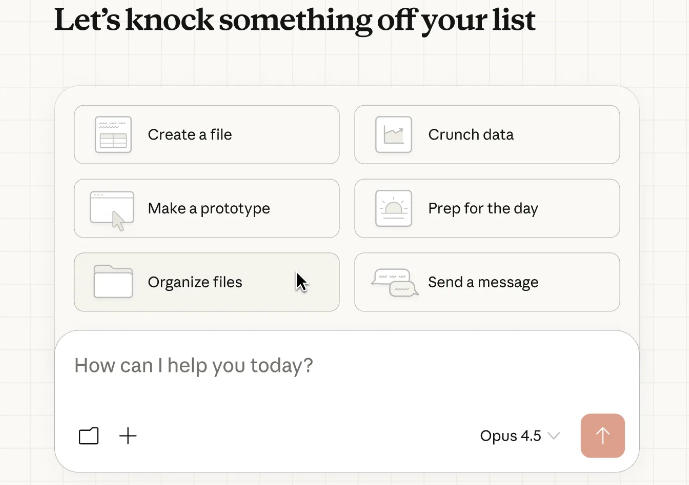
Tried a bunch of Cowork tools, ended up keeping AionUi
Just to be clear upfront: I'm not an AI blogger or a tool reviewer. I'm a regular developer. I write code most of the day, occasionally put together slides, crunch some data, and write docs. Over the past few months I've tried a fair number of AI tools. Some got deleted after two days. AionUi is one that stuck.
This is just me writing down how it actually feels to use. The good and the bad.
The problem I ran into
I've used Claude Code. It's genuinely good. I once asked it to refactor a module—it read the codebase, made the changes, ran the tests, and the pass rate was higher than when I do it myself.
But here's the thing: my workday isn't just writing code.
Last Tuesday, for example, I needed to: refactor an auth module + generate a Q2 sales report + clean up a Downloads folder that had been accumulating crap for three months. Claude Code could handle the first one. The other two? Nope. So I opened ChatGPT to talk through the report, then manually sorted through files.
Three AI tools. Three windows. Constant context switching. And I still had to stitch everything together myself.
What I wanted was simple: one place where I could get all of this done. No switching. No playing middleman between AIs.
That's when I found AionUi.
First impression: honestly, a bit overwhelming
I'll be real—the first time I opened it, there was a lot going on.
Sidebar on the left with a bunch of things: conversations, Teams, scheduled tasks, Skills. An interactive demo in the middle cycling through code, slides, spreadsheets. My first thought was: what exactly is this thing supposed to be?
Took me maybe ten minutes to wrap my head around it.
The basic idea: it turns different AIs (Claude, ChatGPT, Gemini, etc.) into different "roles," each good at different things. You can use one at a time, or pull several into a Team and let them collaborate.
Conceptually it makes sense. The UI just takes a moment.
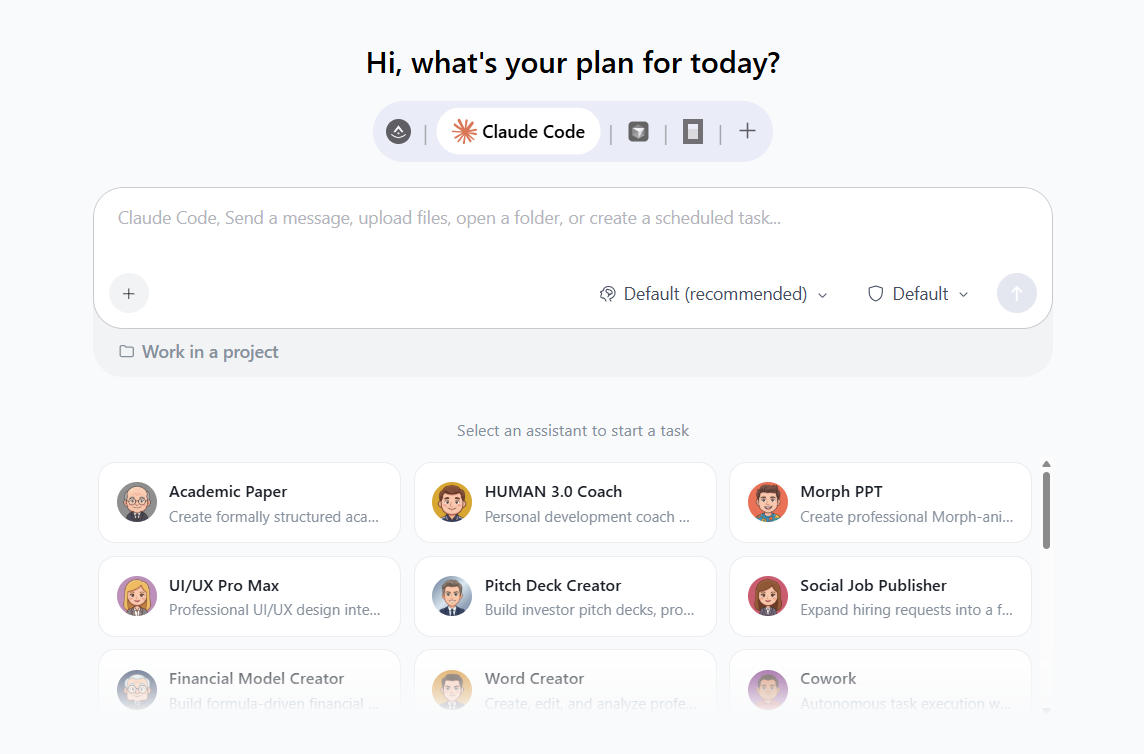
Aionui Main Interface
What I actually use
After two months, here's what I actually reach for—and what I touched once and never went back to.
Daily drivers
Claude Code Agent. This is my workhorse. About 80% of my AI usage is coding, and this agent feels pretty close to vanilla Claude Code. It auto-detected that I already had Claude Code installed and just reused it—no reconfiguration needed. Editing, running tests, committing—same workflow.
One small thing I appreciate: there's a workspace panel that shows which files are being modified and what changed. More visual than staring at a terminal. When you're halfway through a refactor and want to double-check the blast radius without running git diff, it's handy.
Team mode. This is the feature that made me keep the app.
I had to build a feature once: a frontend page change, a new backend endpoint, plus a handful of tests. I didn't feel like giving separate instructions to Claude and another agent, so I created a Team—Dev Agent and QA Agent—and described what I needed in a couple of sentences.
Dev started writing code. Partway through, it realized it needed to confirm an API format and pinged me directly in the Team chat. I answered, it kept going. When it finished, it automatically notified QA to run tests. QA found a boundary case that didn't pass, Dev picked it up and pushed a fix.
I barely intervened. Answered one question. The final code worked, all tests green.
It's not always that smooth. Maybe two or three times out of ten, the Leader agent splits tasks in a weird way—like breaking something that should be done together into two separate tasks, which actually slows things down. Or the agents go back and forth too much, and it ends up feeling less efficient than just giving them instructions separately.
But when it works, it genuinely saves brain cycles. These days I only spin up a Team for complex changes. Simple stuff I still go straight to a single agent.
Occasional use
Codex Agent (file organization). One time my Downloads folder was an absolute disaster—300+ files. Told the Codex Agent to deal with it. It scanned everything, categorized by type (docs, images, archives, installers), and asked if I wanted to archive files older than three months. Done in a couple of minutes. Perfect for this kind of grunt work.
Excel Agent. I'm not an Excel power user. Before this, I'd manually drag things around to make reports. Now I toss a CSV at it and say "pivot by region, add a bar chart." A while later, out comes an .xlsx. Not mind-blowing, but faster and better-looking than what I'd produce by hand. It does mess up sometimes—treating text columns as numbers and trying to sum them, stuff like that. I have to watch for that.
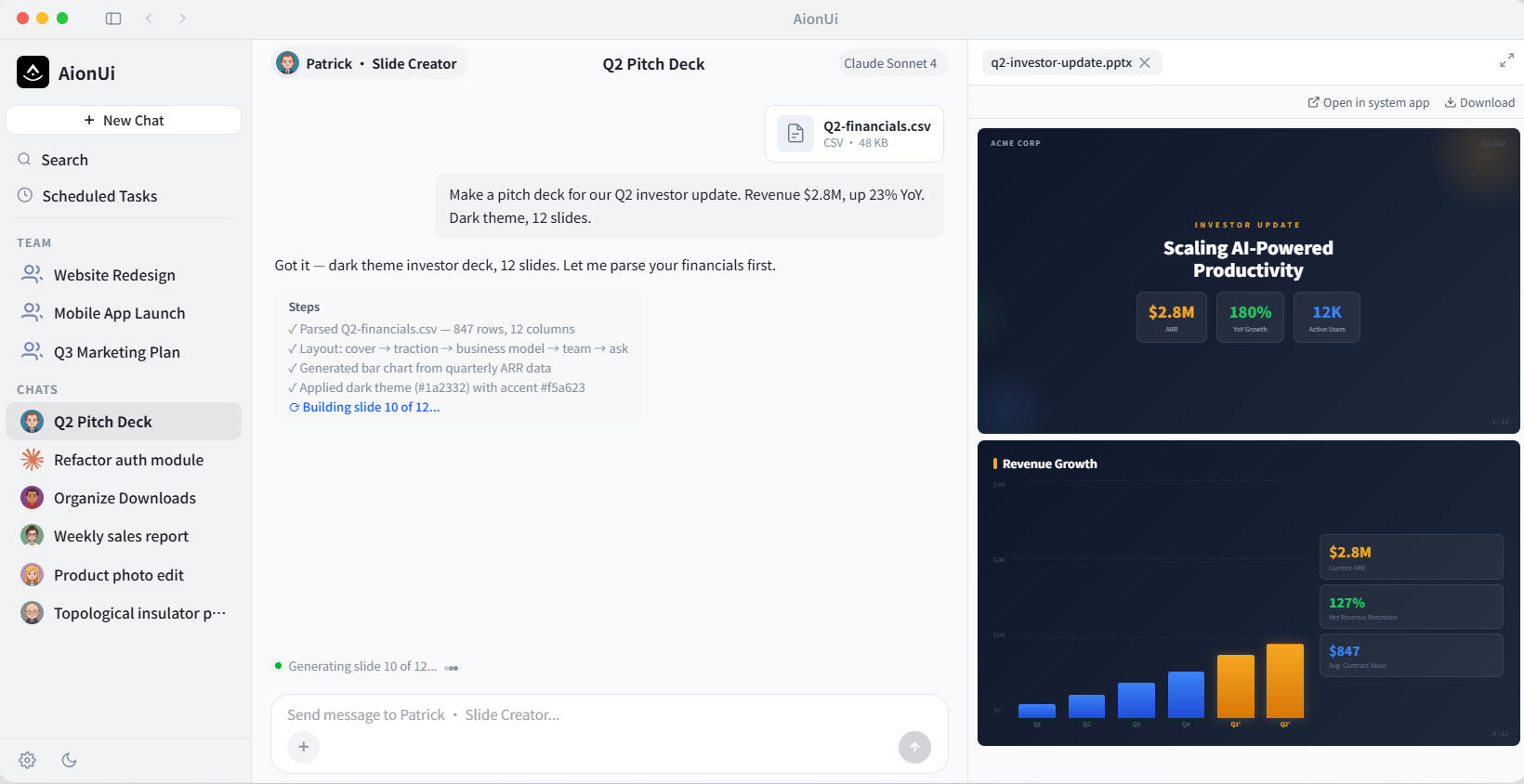
AionUI creates a PowerPoint presentation
Tried and dropped
PPT Agent. It works, but the output feels pretty template-y. Fine for internal updates, but for anything external I'd rather do it myself.
Academic Paper Agent. Not relevant to me. I'm not in academia.
Skills marketplace. Currently about a dozen skills available. I installed the PPT Creator to see if it made a difference—it didn't, really. Probably needs more time to mature.
Remote control: didn't expect to use it this much
This wasn't even on my radar when I installed AionUi, but now I rely on it.
I connected AionUi to Telegram. One weekend I was out and remembered I had a weekly report due Monday. Pulled out my phone, sent a Telegram message to my home machine: "Generate last week's data report and post it to Slack." Got home, report was sitting in the channel.
Caveat: your computer has to stay on. I have a desktop that runs 24/7, so it works for me. If you're on a laptop and you close the lid, this feature becomes useless pretty fast.
Scheduled tasks: set it and forget it
I've got two cron jobs running:
One runs lint + tests on my project every morning at 9 AM and messages me if anything breaks. Another auto-generates the weekly sales report every Monday at 8 AM.
After setting them up, I basically forgot they existed. Every morning I open Slack and the results are just there. That "set and forget" feeling is nice.
One annoyance: the task logs aren't detailed enough. Sometimes a scheduled run fails and all it says is "execution failed"—no specifics. I have to dig through the agent's chat history to figure out what went wrong.
Compared to Codex CLI
I use both. To be honest, for pure coding, Codex CLI is still better. Its code understanding and generation quality are superior, especially when dealing with complex project structures.
But Codex CLI only does coding. AionUi does a lot more—file management, data processing, multi-agent collaboration—and it's open source and free.
Here's how I split them now: daily coding tasks go through AionUi's Claude Code Agent. When I hit a particularly gnarly refactor, I fire up Codex CLI separately. Each does what it's best at.
What bugs me
After a couple of months, here are the friction points:
The UI is heavy. Lots of features packed in. Particularly in Team mode—with three agents working simultaneously, messages fly by fast. Sometimes I lose track of what's happening. It needs better message aggregation.
Your computer has to stay on. Scheduled tasks and remote control depend on the machine running. Not great for laptop users. I get that this is a consequence of the local-first design, but it's still a pain point.
Team mode isn't always reliable. Like I said, the Leader agent botches task decomposition maybe 20-30% of the time, and you end up worse off than doing things manually. Occasional duplicate or dropped messages between agents too.
Skills ecosystem is small. About a dozen skills right now. Not remotely comparable to a plugin marketplace. But the project is still early, so fair enough.
Documentation is thin. The GitHub README covers the basics, but a lot of details are missing. Best practices for Team mode, debugging scheduled tasks, Skills development docs—these are all gaps.
Bottom line
I don't like saying "X is the best tool in its category." That kind of talk is subjective to the point of being meaningless.
But AionUi is genuinely the only thing I've found that turns "multi-AI collaboration" into an actual desktop product—and it's open source and free. If you're like me—your workday spans coding, reports, file management, and you're tired of juggling multiple AI tools—it's worth a try.
It's not perfect. The issues I listed above are real. But so far, it's solved my biggest pain point: I don't have to be the middleman between AIs anymore.
That's enough for me.
My setup: macOS, AionUi v1.9.25, running Claude Sonnet 4 and Gemini 2.5. Been using it for about two months. That's it.
The above is the full content of Tried a bunch of Cowork tools, ended up keeping AionUi